January 12, 2026

Picture this: It's 7 AM, coffee in hand, phone in the other, and you're trying to log breakfast without turning it into a chore. Lifesum and MyFitnessPal both promise to make health tracking easier, but they handle it in ways that feel worlds apart. After testing both extensively, we found Lifesum shines for its polished feel and inspiration, while MyFitnessPal stands out for sheer functionality. Let's break down what sets them apart and help you pick the one that fits your routine.

Lifesum greets you with a sleek, minimalist look: soft colors and intuitive navigation that make logging feel calm and intentional. In our tests, this design encouraged consistent use because it didn't overwhelm; it felt like a gentle nudge toward better habits rather than a data dump.
MyFitnessPal takes a more straightforward path. Its interface is packed with info, which works well for quick entries but can feel cluttered after updates. We noticed slower load times and unnecessary taps, making it less enjoyable for daily check-ins.
The why?
Lifesum prioritizes aesthetics to reduce burnout, while MyFitnessPal focuses on efficiency, even if it means a busier screen.
Pro Tip: If you want guidance beyond logging, ChAIron's nutrition hub adapts suggestions to your patterns without the visual noise: snap a meal photo, and it focuses on balance over clutter.
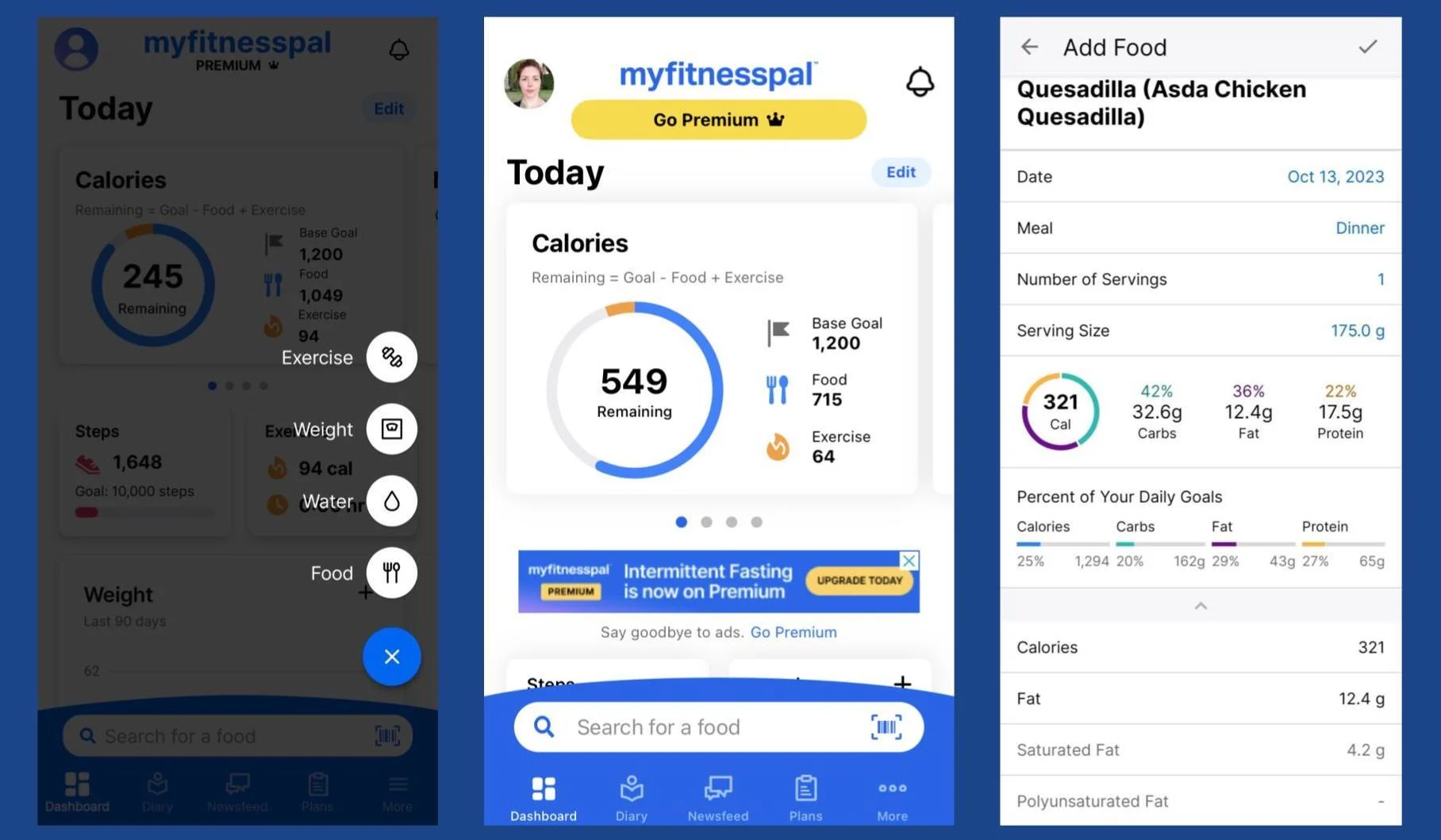
MyFitnessPal's database is massive, with millions of entries covering everything from local snacks to grandma's curry. But here's the catch I observed: much of it is crowd-sourced, so values for the same food can vary wildly—one entry might list a pizza slice at 200 calories, another at 350. This inconsistency eroded trust during testing, as I had to double-check labels often.
Lifesum's database is smaller but more curated, emphasizing whole foods and verified brands. It missed some niche items in my trials, but searches were cleaner and faster, with fewer errors.
The rationale?
MyFitnessPal wins for variety if you eat diverse or processed foods, but Lifesum's quality focus reduces frustration from bad data.
MyFitnessPal gives detailed macro breakdowns right away, with customizable percentages in premium. It's solid for fine-tuning, like hitting protein goals during a cut. But the crowd-sourced data meant I often questioned the numbers: protein in chicken varying by 10-20g across entries.
Lifesum uses preset plans like "High Protein" to auto-set macros, which felt effortless in testing. It's less customizable but more beginner-friendly, steering you toward balanced choices without the math.
Why the difference?
MyFitnessPal suits data-driven users who verify everything; Lifesum prioritizes ease to build long-term adherence.
MyFitnessPal's free version handles basics well, but ads and locked features like advanced reports frustrated me. Premium (around $10/month) removes annoyances and adds insights, but it felt like paying to fix issues rather than gaining value.
Lifesum free is more limited, basic logging only, so premium (about $9/month) unlocks plans and recipes, making the full experience shine. In tests, the upgrade transformed it from tracker to coach.
The why?
MyFitnessPal premium polishes a solid base; Lifesum's feels essential for its guided approach.
Pro Tip: For a fresh take, ChAIron's nutrition hub skips premiums for patterns: snap meals, get adaptive suggestions without ads or locks. It's a smart middle ground if you're tired of upsells.
Lifesum excels here with visually appealing recipes: professional photos, easy prep times, and nutritional breakdowns. Testing showed it sparked ideas for healthy meals, turning tracking into something creative.
MyFitnessPal's recipes are more basic; you build from your logs, which is practical for repeating favorites but lacks inspiration. We were using it for quick imports rather than browsing.
Rationale: Lifesum motivates through appeal; MyFitnessPal prioritizes personalization from what you already eat.
MyFitnessPal's forums and friend-sharing develop accountability: we observed it helping with motivation through shared progress, though some felt spammy.
Lifesum leans personal with badges and Life Score, a daily habit assessment. It kept me engaged without social pressure in tests.
Why?
MyFitnessPal suits extroverts; Lifesum fits those preferring solo reflection.
Both connect well with trackers like Fitbit or Apple Health. MyFitnessPal has a slight edge with more partners, pulling data smoothly in my experience. Lifesum's integrations felt equally reliable but simpler.
The why? Either works if you use wearables; choose based on your ecosystem.
MyFitnessPal edges out for data lovers who want a vast database and don't mind verifying entries: it's functional and proven, despite clutter and ads.
Lifesum wins for a refined experience that inspires through design and guidance, though its smaller database might frustrate variety seekers.
Neither is perfect, but they complement different needs. For depth without overwhelm, MyFitnessPal; for motivation and ease, Lifesum.
But, if patterns over precision appeal, try ChAIron's nutrition hub, it adapts suggestions from meal snaps without the database drama.
Lifesum usually feels easier at the start because of its clean design, guided diet plans, and beautiful recipes that make healthy eating look approachable. MyFitnessPal can overwhelm new users with its data-heavy interface and the need to double-check entries. If you want something even simpler that skips calorie obsession altogether, ChAIron’s nutrition hub lets you just snap meals and get pattern-based guidance, no manual logging required.
Yes, if you eat a lot of packaged foods, restaurant items, or niche brands: MyFitnessPal almost always has something logged. But the downside is that many entries are user-submitted, so calories and macros can vary a lot for the same food. Lifesum’s smaller, curated database feels more reliable for everyday whole foods. For the least guesswork, ChAIron skips traditional databases entirely and learns your personal eating patterns instead.
MyFitnessPal’s free version is still usable for basic tracking, though ads and locked features (like advanced reports) can get annoying. Lifesum’s free tier feels more limited: premium unlocks the recipes, plans, and Life Score that make it shine. ChAIron’s nutrition approach works fully during the 7-day trial and focuses on sustainable habits rather than premium-locked extras, so you get real value right away.
MyFitnessPal can handle eating out if the restaurant or item is in the database, but you’ll often need to manually adjust or search. Lifesum offers some recipe inspiration but isn’t built for on-the-fly menu scanning. ChAIron stands out here: you can scan restaurant menus, and it suggests options based on your weekly patterns and preferences (keto, vegan, allergies, etc.) without forcing you to count every bite.
Both can work if you stay consistent: MyFitnessPal through detailed tracking, Lifesum through guided motivation and recipes. But long-term success often comes down to avoiding burnout from constant logging or bad data. ChAIron takes a different route: it builds eating patterns that fit real life, tracks energy instead of perfection, and keeps things low-stress. Many people find that approach sticks longer than traditional counting.
.png)
.png)